GST Registration Rejected or Stuck in Gujarat? Why It Happens and How to Get Your GSTIN Approved
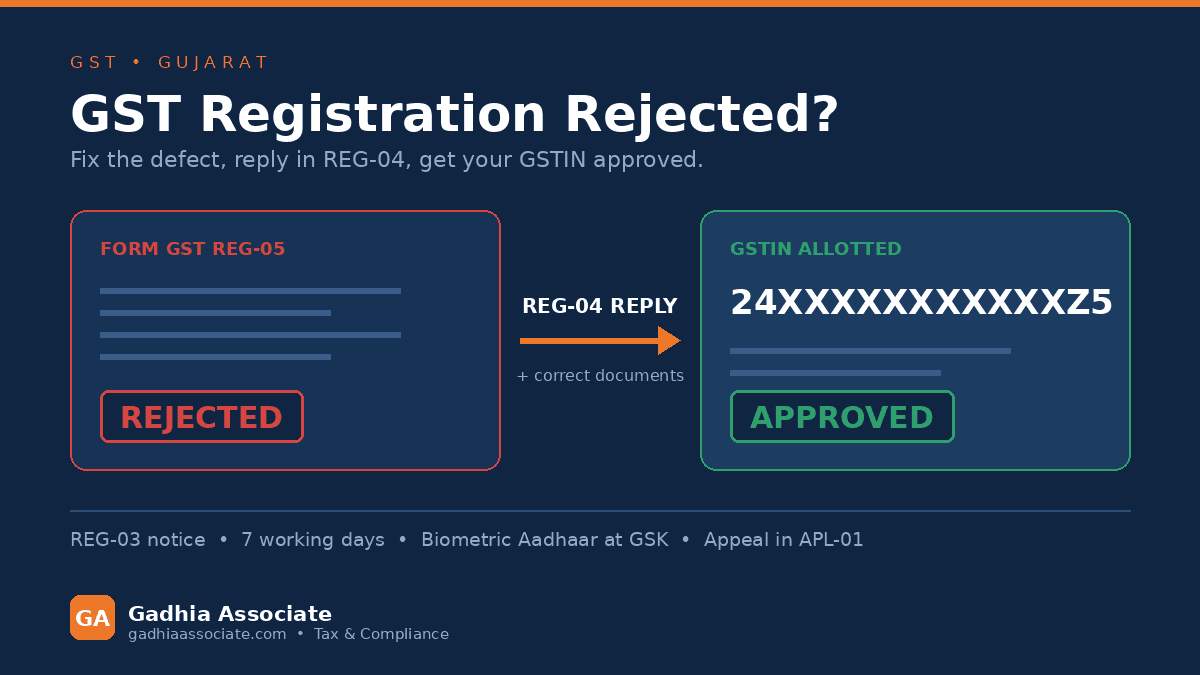
Your GST registration application has been rejected — or it has been sitting at "Pending for Processing" for three weeks while your buyer keeps asking for a GSTIN before releasing payment. Perhaps a notice appeared in Form GST REG-03 asking for something you thought you had already uploaded, and you have no idea what the officer actually wants. This is one of the most common problems we solve in Junagadh and across Gujarat, and it is almost always fixable. The trick is knowing which of the six or seven usual causes is yours, because the remedy for each is different.
First, check this in two minutes
Log in to gst.gov.in with your TRN (Temporary Reference Number) or ARN and open Services > Registration > Track Application Status. Read the exact status:
- Pending for Processing — the officer has not opened it yet.
- Pending for Clarification — a REG-03 notice has been issued. Your clock is running.
- Clarification filed - Pending for Order — your REG-04 is with the officer.
- Rejected — a REG-05 order exists. Download it; it states the reason.
- Site verification assigned / Pending for biometric authentication — you have been flagged for physical or biometric verification.
Also open the notice or order PDF itself. Nine times out of ten the officer has written the precise defect, and people simply never read past the first line.
Why was my GST registration rejected?
Cause 1: You missed the REG-04 deadline
When the officer finds a deficiency, he issues a show cause notice in Form GST REG-03. You must reply in Form GST REG-04 within 7 working days of the notice. Working days — Sundays and public holidays do not count, so do not comfort yourself with a calendar. If you do not reply, the application is rejected in Form GST REG-05, often without any further contact.
The fix: If the window is still open, reply now at Services > Registration > Application for Filing Clarifications, entering the ARN. If it has closed and rejection has been passed, you re-apply afresh or appeal (both covered below).
What is REG-03 and how do I reply?
REG-03 is the officer's list of what is wrong or missing. A good REG-04 reply answers each numbered query separately, in the same order, in plain language, with the corrected document attached against each point. A bad reply says "documents attached" and uploads the same rejected file again. If the notice asks for address proof, do not send the rent agreement alone — send the registered agreement, the landlord's NOC or consent letter, the electricity bill in the landlord's name, and a photograph of the premises showing the signboard. Answer more than was asked, never less.
Cause 2: Address proof does not match, or the tenancy paperwork is incomplete
This is the biggest single killer of applications. The officer compares the address in your application, letter by letter, with the electricity bill or property tax receipt. A different door number, an old ward name, a bill in a deceased father's name, or a rent agreement on plain paper without registration and without a landlord NOC is enough to trigger REG-03 or straight rejection. Virtual offices and shared desks attract extra scrutiny and often physical verification.
The fix: Assemble a clean, consistent set before you touch the portal:
- Latest electricity bill or property tax receipt for the exact premises
- Registered rent or lease agreement, or a notarised agreement plus the owner's consent letter / NOC with ID proof of the owner
- Ownership document if the premises is yours
- Photograph of the principal place of business showing the signboard with the trade name and the door or plot number
- PAN of the entity and of every promoter, with names matching the PAN database character for character
- Aadhaar of promoters, linked to a live mobile number for OTP
- Bank proof - cancelled cheque, first page of passbook, or bank statement showing the name and IFSC
- Board resolution or authorisation letter for the authorised signatory
- Clear, uncropped, full-page scans - no blurred phone photos, no cut-off edges
Cause 3: Aadhaar authentication failed or was skipped
If you opt for Aadhaar authentication and it validates cleanly, approval can come through in about 7 working days, and deemed approval applies if the officer does nothing. If you decline, or authentication fails, the application goes down the physical-verification route and the timeline extends to around 30 days. The usual failure reason is mundane: the promoter's Aadhaar is not linked to the mobile number in the application, so the OTP never arrives.
The fix: Update the mobile number at an Aadhaar centre first. Do not skip authentication to save a day — it costs three weeks.
What is biometric Aadhaar authentication for GST?
Instead of an OTP, the flagged applicant must appear in person at a designated GST Suvidha Kendra with original documents for fingerprint and photograph capture. Gujarat was one of the first states where biometric authentication was rolled out, and it has since been extended nationwide. If you are flagged, the portal emails you a link with the GSK location and an appointment window — commonly around 15 days from application. Miss the appointment and the application lapses.
The fix: Book the earliest slot, carry the original Aadhaar, PAN and the appointment or ARN printout, and send the person actually named as promoter or authorised signatory — not the accountant. Separately, physical verification of the premises may be carried out; keep the signboard up, the shop or office open, and someone present who can show the original documents.
Cause 4: Name, activity or classification mismatches
The legal name must match the PAN exactly (not the trade name you use on invoices). The constitution of business, the nature of activity at the premises, and the HSN/SAC codes you select must be internally consistent — a retail trading premises with a services-only HSN raises a flag. Wrong jurisdiction selection (Centre vs State ward) also stalls files quietly.
The fix: Correct these in the REG-04 reply, or in the fresh application, and keep a short covering note explaining the business model. Officers approve what they understand.
Can I apply again after rejection?
Yes. There is no statutory bar on re-applying after a REG-05 rejection. You can file a fresh Form GST REG-01 immediately — but only after fixing the exact defect stated in the rejection order. Applying again with the same documents is the single most common self-inflicted wound; the second rejection comes faster than the first and marks the profile as risky.
The alternative is the appeal route: Form GST APL-01 before the Appellate Authority, generally within three months of communication of the rejection order. Appeal is the right choice when the rejection was wrong on the facts or passed without giving you a fair hearing. Re-application is faster and better when the defect was genuinely yours. Choosing correctly is worth a phone call.
An illustrative example
Illustrative only. A trader in Junagadh applies for GST with a rented godown. Turnover expected: Rs 60 lakh. REG-03 is issued because the electricity bill is in the landlord's late father's name and the rent agreement is unregistered with no NOC. The reply is filed on day 9 — one day after the working-day window — and REG-05 rejection follows. A fresh REG-01 with a notarised agreement, an owner's consent letter, the property tax receipt and a signboard photograph is approved after a GSK biometric visit. Total time lost: about five weeks, and one blocked customer order.
What makes it worse — and what not to do
- Re-applying with the identical document set that was just rejected.
- Letting the 7-working-day REG-04 window lapse while arranging documents. File the reply with what you have and explain the rest.
- Uploading blurred, cropped or password-protected PDFs.
- Using a virtual office address you cannot physically show during verification.
- Continuing to raise invoices or trade above the threshold while unregistered — you cannot collect or pass on tax legally, you lose input credit, buyers refuse to deal with you, and you expose yourself to interest and penalty on the unregistered period.
- Filing an appeal and a fresh application simultaneously without a plan for which one you will actually pursue.
If you also have older GST issues running alongside — a pending notice, or a registration that was cancelled — see our articles on replying to GST notices and on GST cancellation and revocation, because a live cancellation on a linked PAN will affect this application too.
When you should stop DIY and get help
Get professional help when: the application has been rejected twice; the REG-03 raises questions about the genuineness of the business or the premises; you have been flagged for both biometric authentication and physical verification; the rejection order gives reasons you do not understand or that appear factually wrong; a previous registration on the same PAN was cancelled; the deadline on the notice is days away; or the delay is now costing you customers and contracts. Registration problems compound — the longer the profile sits flagged, the more scrutiny each subsequent step attracts.
How Gadhia Associate Can Help
We get GSTINs approved. We audit your document set before filing so the application does not attract a notice in the first place. Where a REG-03 has already been issued, we draft the REG-04 reply point by point with corrected, properly formatted documents and file it inside the working-day window. We prepare the consent letter and NOC, fix address and PAN-name mismatches, arrange the premises photograph and signboard, coordinate your biometric appointment at the GST Suvidha Kendra, and prepare you and your premises for physical verification. Where a rejection has already been passed, we advise honestly on whether to re-apply under REG-01 or appeal in Form GST APL-01, and we handle whichever route you choose end to end — plus your first returns once the GSTIN is live.
The first consultation is free. We are based in Junagadh and serve clients throughout Gujarat and across India digitally, so documents move over WhatsApp and you only step out for the biometric visit. Call or WhatsApp +91 82005 28355 with your ARN and a copy of the notice or rejection order, and we will tell you the exact defect and how quickly it can be cleared.
This article reflects the position as of August 2026. GST registration rules, forms, biometric authentication rollout and timelines change through CBIC notifications and circulars, and outcomes depend on the facts of each individual case and the view of the jurisdictional officer. Please obtain professional advice before acting.